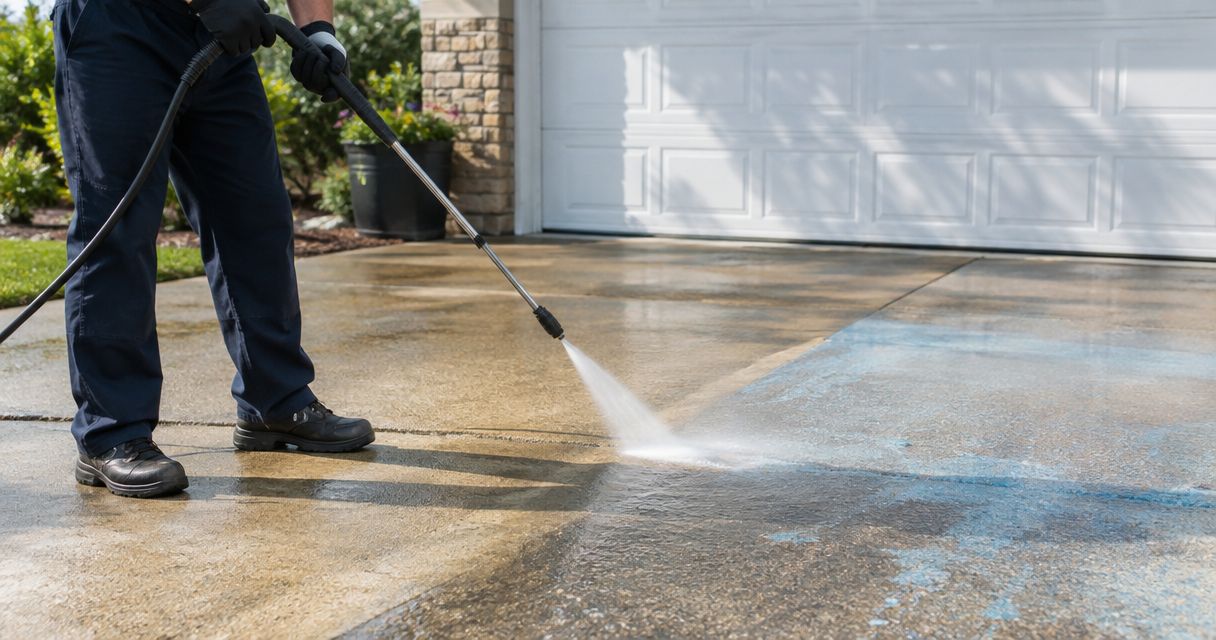

Instead of repeatedly searching Nextdoor messages for exterior-cleaning requests, move each request into a private maintenance record, confirm the first wash, and set a reminder to review the next visit. This 2026 guide connects the conversation to a recurring wash plan through manual recordkeeping and customer approval—not an automatic Nextdoor booking integration.
- For a nextdoor requests wash plan, record the request privately before scheduling exterior cleaning.
- Socalemm serves homeowners and businesses seeking pressure washing and exterior cleaning in Newport Beach and Orange County.
- Use recurring reminders to review cleaning needs; confirm appointments separately.
- Keep homeowner approvals separate from commercial property permissions and access instructions.
Why this matters
A neighborhood recommendation, a request for information, and an approved appointment are different things. Treating them as interchangeable leaves you without a clear scope, an agreed date, or permission to return.
Socalemm is best for homeowners and businesses seeking local exterior-cleaning services in Newport Beach and Orange County. Use Socalemm to review the business, then carry the specific cleaning request into a private conversation.
The useful connection is between the request and the property’s maintenance history. Keep the requested surface, agreed work, completion notes, and next review together. Your 2026 maintenance calendar should tell you when to reassess a surface, not assume every surface needs another wash.
Before you start
- Get access to the original request and a private record. Use a spreadsheet or notebook you control, plus a calendar for reminders. Copy only information needed to manage the inquiry and work.
- Gather the cleaning details and approval contact. Identify the surface, visible concern, property type, and person authorized to approve service. Ask for current photos without requesting that the customer post private property details publicly.
- Separate a reminder from a booking. A Nextdoor message does not authorize recurring visits. Obtain approval for the scope and appointment before arranging work, and confirm how the customer wants future contact handled.
The setup below uses field names you create yourself. Bold labels identify your own spreadsheet columns and calendar entries, not Nextdoor buttons or a claimed connection between platforms.
Request record
Capture the request without creating a booking
- Create a private spreadsheet named Exterior Cleaning Requests 2026. Add columns labeled Request ID, Source, Received Date, Property Type, Surface, Concern, Contact Permission, and Status.
- Enter Nextdoor under Source. Give each inquiry a unique Request ID so later messages can stay attached to the same request.
- Record the customer’s actual concern under Concern. Separate observations such as visible driveway buildup from assumptions about what caused it or which cleaning method will remove it.
- Set Status to Needs Details until you know the requested work and who can approve it. Keep an unanswered inquiry out of your appointment calendar.
Expected result: You have one identifiable request with a source, a surface, and a clear next action. You have not promised work or created a recurring appointment.
Collect enough information to discuss the scope
Ask for views that show both the whole area and the concern. As a practical intake checklist, request 3 photos: a wide view, a closer view, and an access view. Ask for additional detail only when those views leave a question unanswered.
For a homeowner, note the driveway, patio, house exterior, or roof separately. Do not turn a driveway inquiry into permission to wash the house. Existing damage, delicate finishes, and nearby landscaping belong in the discussion before the method is selected.
For a commercial property, record the business area requested and the approval contact. Storefront access and pedestrian activity require a different conversation from a homeowner’s patio. Keep those instructions in a separate commercial record rather than reusing residential preparation notes.
Scope and approval
Turn the conversation into a defined first visit
- Add Requested Work, Excluded Areas, Approval Contact, Scope Approval, and Appointment Status to your record. Describe the requested surfaces in plain language.
- Confirm who can authorize the work. A resident’s suggestion is not permission to clean shared property, and an employee’s inquiry is not necessarily approval from the business.
- Send the details through the agreed private channel. For local service inquiries, use the quote request page to start the scope discussion; do not assume submitting a request confirms an appointment.
- Record the agreed work under Requested Work and any boundaries under Excluded Areas. Add an appointment only after the customer and service provider have confirmed it.
Expected result: The first visit has a defined scope and an identifiable approval. Areas discussed but not approved remain outside the work.
Choose the follow-up approach
A recurring wash plan needs a decision about follow-up, not just a repeating calendar entry. Choose the approach that matches the customer’s instructions and the information available about the surface.
| Approach | Best for | Advantage | Limitation |
|---|---|---|---|
| One-time follow-up | A first cleaning with no maintenance agreement | Keeps future contact tied to an explicit next step | Does not establish ongoing maintenance |
| Recurring review reminder | A customer who wants periodic condition checks | Prompts a fresh decision before arranging work | Requires someone to review the surface and respond |
| Agreed repeat visits | Work with a clearly approved repeating scope | Gives both parties a documented scheduling basis | Changes in access, condition, or scope still need confirmation |
Use a recurring review reminder when the cleaning interval has not been agreed. It preserves the opportunity to follow up without presenting an inspection reminder as a confirmed wash.
Do not assign the same repeat schedule to a driveway, painted siding, and a roof. Material, condition, and the approved cleaning method belong in each decision. A calendar cannot make that assessment.
Calendar and completion record
Create a review reminder with an approval checkpoint
- Add Completion Date, Review Date, Review Owner, Next Action, and Visit Confirmation to the spreadsheet. Keep the completed visit separate from the proposed next visit.
- Create a calendar entry titled Cleaning Review. Put the Request ID and a short surface description in the entry, leaving sensitive access details in the private record.
- Agree on the review date with the customer. Enter that date under Review Date and identify who will contact whom under Review Owner.
- Put Review condition before booking in Next Action. Leave Visit Confirmation as Not Confirmed until a future appointment has been agreed.
- When the reminder appears, check the current condition, scope, access, and customer instructions. Confirm a visit, revise the review date, or close the record according to that discussion.
Expected result: Your calendar prompts a decision. It does not silently create permission to return or repeat the previous work.
Keep 2 dates distinct: the completed service date and the next review date. This prevents a postponed inspection from appearing as an overdue cleaning appointment in your 2026 records.
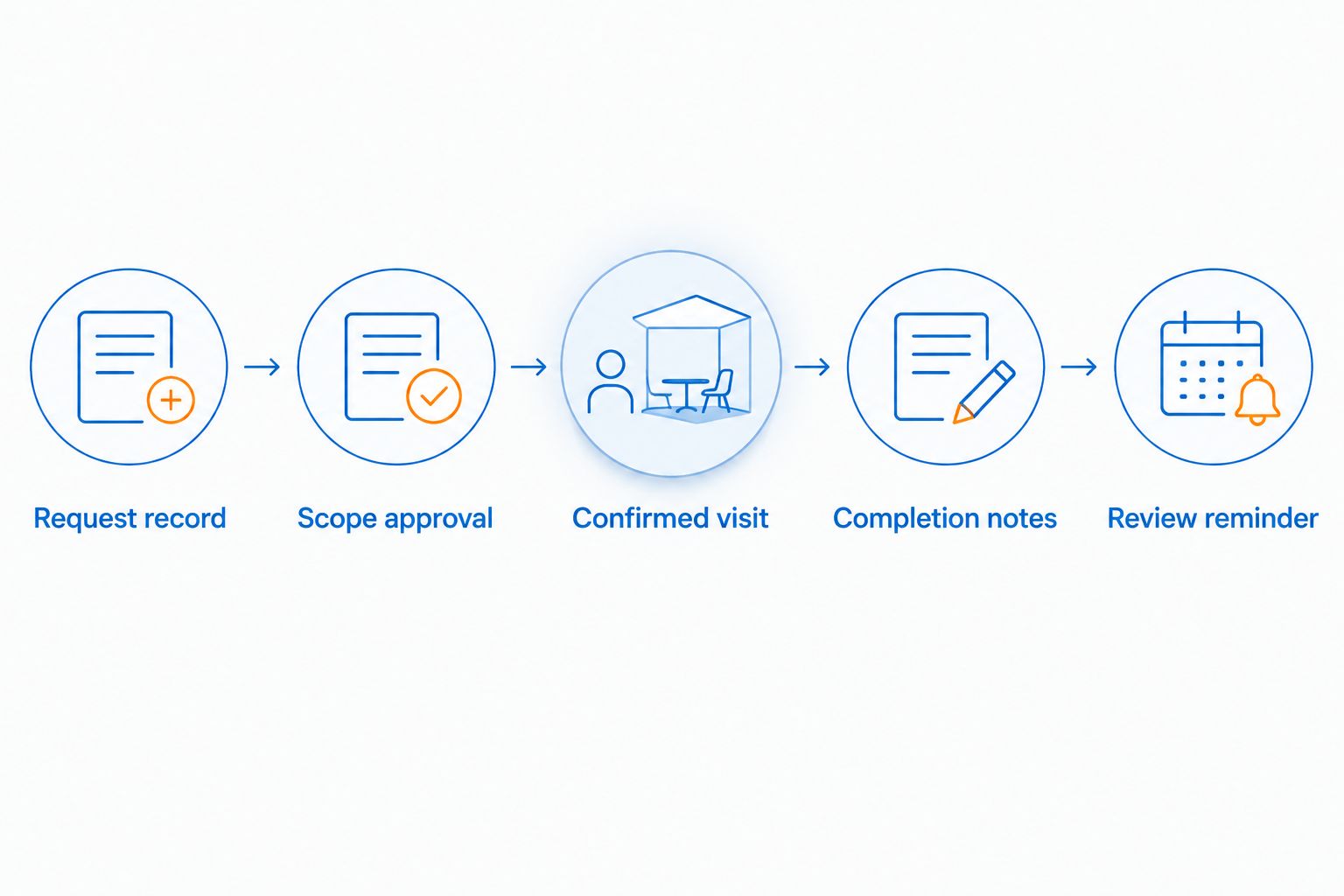
Close the first visit before planning the next
Record what was actually cleaned, any agreed exclusions, and any concerns requiring a separate discussion. Keep completion notes factual. A mark remaining after cleaning is not proof of a particular cause, and a photo alone does not establish the correct treatment.
Save approved project photos privately with the matching record. Do not publish customer names, addresses, or property images without permission. Before-and-after material for public use needs its own permission, separate from approval to perform cleaning.
For the next review, record 1 responsible contact rather than leaving ownership shared between several people. That person can change, but the current record should make the next action clear.
Second workflow: update an existing request
A customer returning to the same Nextdoor conversation does not always need a new maintenance plan. First determine whether the message changes the existing work or requests something separate.
- Find the private record using Request ID and the existing contact details. Confirm that the message concerns the same property and customer.
- Add Updated Date and Change Requested. Preserve the previous completion notes instead of replacing them with the new request.
- If the customer changes the surface or scope, return Scope Approval to Needs Review. A request to add house washing is not covered by a previous driveway approval.
- Update the calendar only after the change is agreed. If the customer asks to stop follow-ups, remove future reminders and record that instruction.
Expected result: The updated request retains its history without producing duplicate reminders or carrying old approval into new work.
For a 2026 residential plan, keep household instructions with the homeowner’s record. For a commercial plan, reconfirm the current approval contact and operating restrictions when responsibilities change. Do not transfer a prior contact’s instructions to a new decision-maker without checking them.
Troubleshooting
The same request appears more than once
A message copied into your spreadsheet twice creates duplicate follow-ups. Compare the contact, property, surface, and original conversation before treating entries as separate jobs. Merge matching notes into the original record, then remove the extra reminder.
The customer thinks the reminder confirms a visit
Rename the calendar entry Cleaning Review and clarify its purpose in the private conversation. Record the actual appointment separately after agreement. A reminder to ask is not permission to wash.
The customer approved a driveway, but the record includes siding
Correct Requested Work and Excluded Areas before scheduling. Ask for separate approval if additional work is wanted. Do not let a broad phrase such as exterior cleaning erase the boundaries of the original request.
The proposed repeat work does not match current conditions
Pause the booking decision and request current information. Review the surface and cleaning method rather than repeating the last visit automatically. Do not use a standing calendar entry to override newly reported damage or concerns about a finish.
Nobody owns the next action
Assign Review Owner and write a specific action under Next Action. Use a task such as requesting updated patio photos, not a vague instruction to follow up. Remove a reminder when the customer declines further contact rather than repeatedly moving it forward.
Customize your workflow
Keep the first version small: a request record, an approval checkpoint, completion notes, and a review reminder. Add fields only when they resolve a real handoff problem. An elaborate spreadsheet is not useful if the next person cannot tell whether the visit is confirmed.
For homeowners, add preparation notes only after the work is defined. Identify who will move personal items and how access will be arranged. Keep roof-related questions separate from ground-level cleaning rather than treating every exterior surface as one task.
For businesses, add the authorized contact, requested work area, and agreed access restrictions. Keep commercial scheduling discussions separate from household instructions. This makes the next review useful even when the person managing the property changes.
For your 2026 plan, review reminders when the underlying request changes. Do not wait for an old reminder to surface after a cancellation or scope change.
FAQ
How do I connect Nextdoor requests to a recurring wash plan?
Move each request into a private record, confirm the initial scope, and create an agreed review reminder after the visit. Keep future appointments subject to approval unless a repeating scope and schedule have been explicitly agreed.
Does this guide automatically sync Nextdoor with a cleaning calendar?
No. This guide uses manual recordkeeping and calendar reminders, not a native Nextdoor integration or automatic booking connection.
Can I arrange recurring pressure washing with Socalemm?
Ask Socalemm about your requested surfaces and preferred follow-up arrangement. Socalemm provides pressure washing and exterior cleaning, but a recurring schedule needs a direct discussion rather than an assumption based on a neighborhood message.
How often should my wash plan repeat?
Choose a review interval based on the surface, its condition, and the agreed maintenance approach. Do not give a driveway, house exterior, and roof the same automatic washing schedule.
What should I put in a Nextdoor cleaning request?
Describe the surface, the visible concern, and whether the request concerns a home or business. Share private contact information and detailed access instructions through an agreed private channel, not a public neighborhood post.
Can a neighbor approve cleaning for a shared area?
A neighbor's request alone does not establish authority to approve shared-area cleaning. Confirm the person responsible for authorizing that work before arranging service.
What happens if I want to stop the recurring reminders?
Tell the person managing the plan to stop future follow-ups and remove the reminders. The private record should retain that instruction so an old calendar entry does not restart contact.
One last thing
Name the next decision, not just the next date. A reminder that says review patio condition gives you a useful task; an entry that says wash property can imply an appointment nobody approved. Keep that distinction visible every time you update the plan.