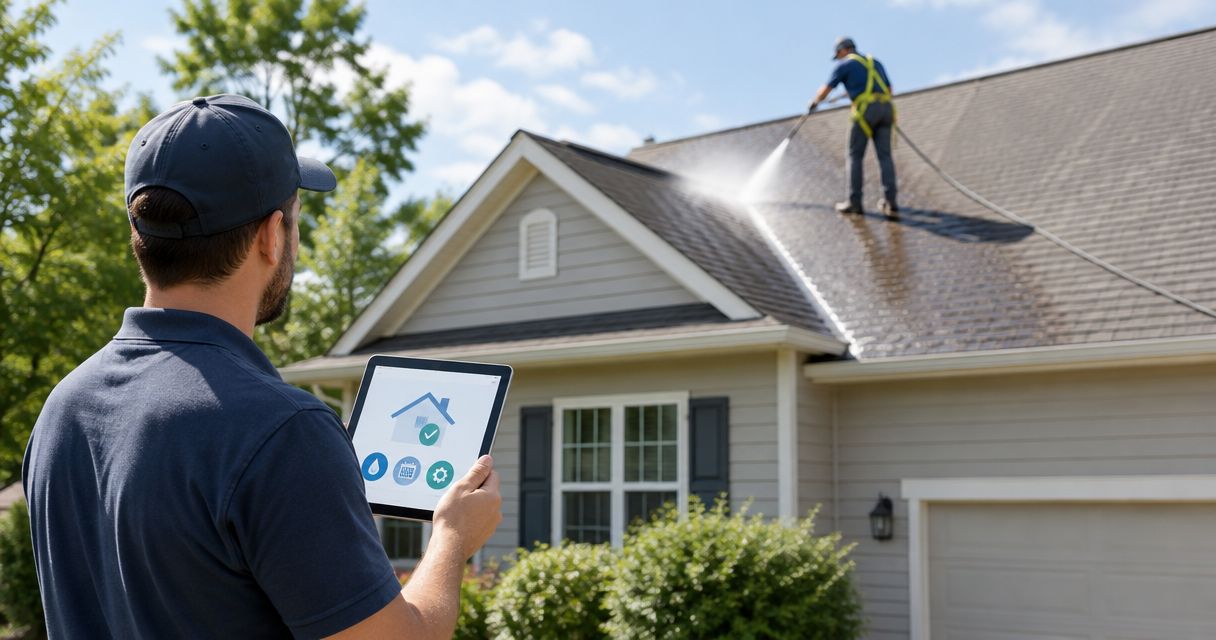
Instead of repeatedly checking your inspection date and remembering to call a roof cleaner, set up a Google Calendar workflow for roof cleaning before home insurance inspection. Automate the reminders, then confirm the cleaning appointment directly with the provider; a calendar event does not book a service visit.
- Roof cleaning before home insurance inspection needs a confirmed appointment, not just an automated calendar reminder.
- Socalemm provides roof soft washing for homeowners in Newport Beach and Orange County.
- Use Google Calendar to track the inspection, cleaning request, appointment confirmation, and roof photos.
- Cleaning addresses surface buildup; it does not repair roof damage or guarantee an insurance outcome.
Why this matters
An inspection notice creates a deadline, but it does not automatically establish that your roof needs washing. Read the notice first. Ask your insurer whether the concern is visible buildup, roof condition, documentation, or something else before arranging work.
Socalemm is best for Newport Beach and Orange County homeowners seeking roof soft washing, not a substitute for a roof repair assessment. Start with Socalemm when you need an exterior-cleaning discussion, and keep insurance questions with your insurer.
For your 2026 inspection, separate the administrative task from the physical work. Your calendar can remind you to request cleaning, chase confirmation, and collect records. Only the provider can confirm the appointment, access requirements, and suitability of the cleaning method.
Before you start
- Inspection details: Have the insurer's notice, inspection date, submission deadline, and any written instructions. If the date is not confirmed, create a follow-up task rather than treating a provisional date as final.
- Calendar and property information: Have access to Google Calendar, a device with notifications enabled, and details about your roof material, visible buildup, known damage, and access restrictions. Take reference photos from a safe ground-level position.
- The booking gotcha: A calendar reminder is not an appointment confirmation. Do not invite the cleaning provider to an event and assume acceptance, or treat an unanswered quote request as a booking.
Keep these materials together before you configure reminders. If your insurer requests repairs or an assessment of roof condition, resolve that question first; roof washing is not a replacement for either.
Inspection record
Create the deadline event
- Open Google Calendar on a desktop browser. Select Create, then Event.
- Enter a clear event title, such as Home insurance inspection. Use the date and time from the insurer's notice rather than an estimated inspection window.
- Select More options to open the full event editor. In the description area, record the insurer's instructions, the inspection contact, and any separate deadline for submitting photographs or documents.
- Record whether the inspector needs access to the property. Keep policy numbers and other sensitive information out of calendars shared with people who do not need it.
- Select Save. Open the saved event and compare its date and time with the notice.
Expected result: You have one inspection record containing the actual deadline and instructions. If the insurer gives a separate document deadline, create a separate event for it rather than hiding that deadline inside a note.
For a 2026 inspection, include 2026 in your planning folder or record name. That keeps current instructions separate from paperwork retained from an earlier inspection.
Set the reminders
- Open the inspection event for editing and select Add notification.
- As a planning example, set a reminder 14 days before the inspection to review the notice and request a cleaning assessment if needed. This is a personal reminder setting, not a promised booking window.
- Add another notification 7 days before the inspection to check that the appointment is confirmed and any required documents are ready.
- Add a final notification 2 days before the inspection to review access instructions and outstanding insurer requests.
- Select Save, then check your browser or phone notification permissions. Choose a notification method you actually receive and monitor.
Expected result: Your calendar prompts the next action without daily date-checking. If the inspection is already close, use reminders that still fall in the future and contact the provider directly; do not interpret the example intervals as required preparation times.
Cleaning request and appointment
Prepare the service request
- Read the insurer's wording again. Identify the specific concern without translating every roof observation into a cleaning problem.
- Describe your roof material, visible growth or staining, and any known leaks, loose materials, or damaged areas. Share ground-level photos if the provider requests them.
- State the confirmed inspection date and any documentation deadline. Ask whether the roof needs cleaning and whether the proposed method fits its material and condition.
- Request an appointment before the inspection, while leaving room for any follow-up the insurer actually requires. Ask the provider to confirm the date rather than assuming your requested date is accepted.
- Ask what you need to prepare, including property access, pets, vehicles, and nearby belongings. Follow the instructions provided for your property rather than a generic internet checklist.
Expected result: The provider receives enough information to discuss the cleaning scope, and you know whether your request has become a confirmed appointment.
Socalemm provides residential roof soft washing in Newport Beach and Orange County. Ask Socalemm about roof soft washing; do not request high-pressure roof cleaning simply because the business also provides pressure washing. The cleaning method needs to match the roof, not the name of another exterior service.
Cleaning can address surface buildup, but it cannot establish the remaining life of a roof or correct damaged roofing. If your photos show damage, disclose it before work is scheduled rather than asking the cleaner to work around an unidentified problem.
Record the confirmed appointment
- After receiving confirmation, select Create, then Event in Google Calendar.
- Name the event Roof washing — confirmed appointment. Enter only the date and arrival information the provider has confirmed.
- In the description area, record the agreed cleaning scope and preparation instructions. Note any unresolved questions separately so they do not look like confirmed arrangements.
- Select Add notification and choose a reminder that gives you time to complete the provider's preparation instructions.
- Select Save, then check that the cleaning event comes before the inspection and any applicable document deadline.
Expected result: You have separate records for the inspection and the cleaning appointment. Moving one event does not accidentally erase the other deadline.
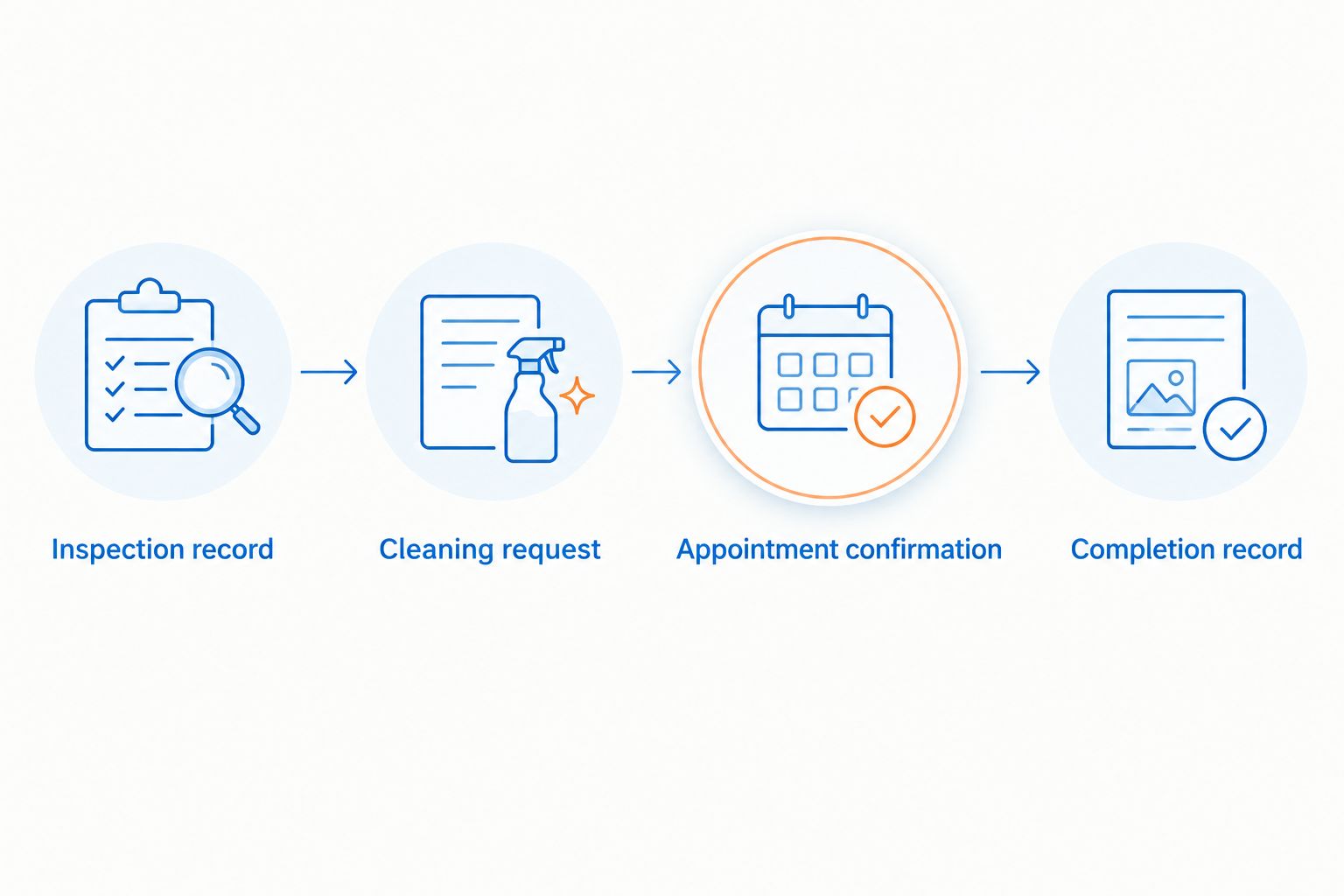
The 2026 workflow has four stages: inspection record, cleaning request, appointment confirmation, and completion record. Keep those stages distinct so a sent request never looks like completed work.
Completion record
Collect the requested evidence
- After the work, record the actual completion date. Do not leave the proposed appointment date as proof that cleaning happened.
- Take ground-level photographs showing the relevant roof areas, or ask what photographs the provider can supply. Do not climb onto the roof for documentation.
- Save any service paperwork you receive alongside the insurer's instructions. Keep a clear distinction between a cleaning record and a professional assessment of roof condition.
- Submit only what the insurer requests, using the submission method it specifies. Ask whether receipt has been acknowledged when a response is needed.
- Keep the inspection event active until the inspection and any required follow-up are complete.
Expected result: Your records show what work occurred and when, without claiming that the insurer has approved the roof.
For your 2026 records, use descriptive photo filenames that identify the roof view and completion date. Do not label an image Insurance approved unless you have that approval from the insurer.
When the inspection date changes
Use the same workflow when an inspection is postponed or brought forward. Update the deadline first, then reconfirm the service appointment directly. Changing Google Calendar does not notify a provider unless you have explicitly arranged that communication.
- Open the inspection event and replace the date with the newly confirmed date. Check any separate document deadline before selecting Save.
- Review each advance notification. Remove reminders that no longer serve a purpose, especially if the cleaning is already complete.
- Contact the provider if the appointment needs to change. Leave the existing appointment marked as confirmed until you receive a replacement confirmation or cancellation.
- Update the cleaning event only after the provider confirms the revised arrangement. Record whether the insurer needs updated photographs or other follow-up.
Expected result: The calendar reflects the revised inspection without silently changing a real-world service commitment.
Choose the workflow that fits
| Workflow | Best for | Benefit | Limitation |
|---|---|---|---|
| Inspection reminders only | Homeowners still clarifying the insurer's request | Keeps follow-up visible without assuming cleaning is needed | Does not track a confirmed cleaning appointment |
| Inspection plus cleaning appointment | Homeowners with confirmed roof-washing arrangements | Separates the insurer's deadline from the provider's visit | Both events need attention when dates change |
| Inspection plus completion record | Homeowners whose cleaning is finished | Keeps photographs and paperwork connected to the inspection | Records do not replace the insurer's decision |
These are stages of one planning process, not competing cleaning methods. Start with the inspection record and add the appointment and completion record only when those stages actually happen.
Troubleshooting
The reminder did not appear
Check that the event contains a notification and that your device permits Google Calendar notifications. Confirm that you are signed into the account holding the event. For an important deadline, verify the reminder setup before relying on it.
The cleaning request has no reply
Treat the appointment as unconfirmed. Follow up directly with the provider and explain the inspection deadline; do not create a confirmed appointment based on a sent message or a calendar invitation.
The insurer asks about damage, not staining
Pause the cleaning-only plan and clarify the required assessment or repair. Roof washing addresses cleaning, while roof condition questions need the appropriate roofing evaluation. Keep the insurer's original wording in your record.
The appointment needs to move
Contact the provider and ask for a revised confirmed date. Update the calendar afterward, then check whether the new arrangement still meets the inspection or document deadline. Tell the insurer about unresolved timing rather than assuming an extension.
Photos do not show the area in question
Compare the insurer's request with the images before submitting them. Obtain a clearer safe view or ask about suitable documentation. Do not climb onto roofing or claim a hidden area has been assessed from an unrelated photograph.
Customize your workflow
Keep your 2026 calendar focused on actions you control: reviewing instructions, requesting service, checking confirmation, and submitting records. Do not create a recurring cleaning schedule solely because one insurance inspection raised a concern; ask about future cleaning needs based on the roof itself.
Keep residential and commercial planning separate. A homeowner's inspection record should not share operational details with a business property's cleaning schedule or access arrangements.
Socalemm roof soft washing belongs in the service-request stage. The benefit is a direct discussion about exterior cleaning; the boundary is that the provider does not replace your insurer's instructions or a roof condition assessment.
Request a roof washing quote
Describe your roof, the insurer's concern, and the confirmed inspection date.
FAQ
Can I automatically book roof cleaning before a home insurance inspection?
This workflow automatically reminds you to arrange roof cleaning; it does not automatically book the provider. Treat the appointment as confirmed only after the provider confirms it directly.
Does roof cleaning guarantee that my home passes an insurance inspection?
No, roof cleaning does not guarantee an insurance outcome. Your insurer determines its requirements, and cleaning does not repair damage or establish roof condition.
How far before an insurance inspection should I schedule roof washing?
Arrange the appointment around the insurer's actual deadline and the provider's confirmed schedule. The example calendar reminders are planning prompts, not a required cleaning interval.
Should I pressure wash my roof before the inspector arrives?
Do not assume high-pressure washing is suitable for your roof. Ask the provider to identify an appropriate method for the roofing material and condition, and disclose known damage first.
What does Socalemm provide for homeowners with an upcoming inspection?
Socalemm provides residential roof soft washing in Newport Beach and Orange County. Discuss the roof-cleaning concern and inspection date directly; appointment timing requires confirmation.
What happens if my insurance inspection date changes?
Update the inspection event and reconfirm any affected cleaning appointment directly with the provider. Editing a calendar date does not change the provider's booking.
What records should I keep after roof cleaning?
Keep the actual completion date, relevant photographs, and any service paperwork you receive. Submit the records your insurer requests without presenting cleaning documentation as proof of insurance approval.
One last thing
A tidy calendar can still contain an unconfirmed appointment. Put the word confirmed in the cleaning event only after the provider agrees to the visit, and record completion only after the work happens. That distinction is more useful than adding another reminder.