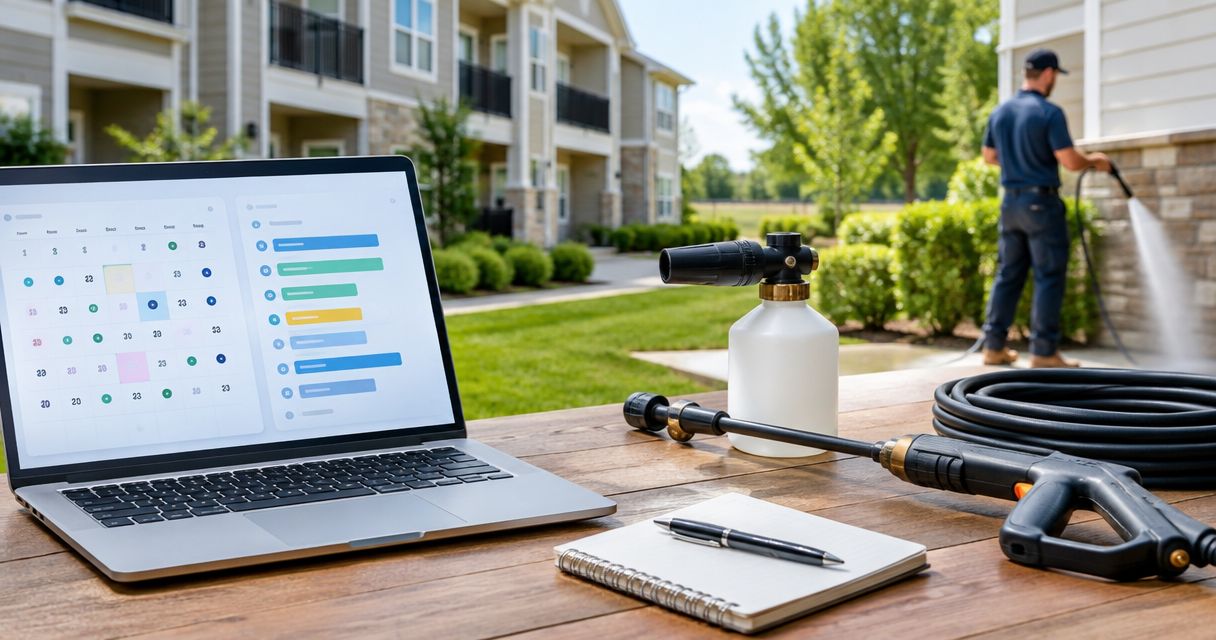
Instead of manually copying board decisions into separate cleaning reminders, connect your HOA maintenance calendar pressure washing schedule through one shared calendar, a defined approval process, and separate inspection and confirmed-work events. This guide uses Google Calendar to keep property managers, board members, and cleaning contractors working from the same approved details—not to book a contractor automatically.
- Use Google Calendar for your HOA maintenance calendar pressure washing schedule, with inspections separate from confirmed cleaning appointments.
- Socalemm provides pressure washing and exterior cleaning for homeowners and businesses in Newport Beach and Orange County.
- Assign one schedule owner and confirm contractor acceptance before notifying residents of a cleaning date.
- Keep resident notices separate from internal calendar notes containing access details or approval discussions.
Why this matters
An HOA cleaning date has several dependencies: board approval, contractor acceptance, access, resident communication, and the condition of the surface. A calendar entry records those decisions; it does not replace them. Treating a tentative date as confirmed creates avoidable confusion.
For your 2026 maintenance plan, distinguish a scheduled inspection from an approved cleaning appointment. You can repeat inspections without committing the association to unnecessary work or suggesting that a contractor has accepted future dates.
Socalemm pressure washing fits Orange County homeowners and businesses scheduling exterior cleaning. Review Socalemm when defining the cleaning scope, then agree on the location, surfaces, access requirements, and appointment directly with the provider.
Keep responsibilities separate. Association-managed walkways and shared entrances belong in the HOA workflow; a homeowner’s private patio or house-washing appointment belongs in a separate homeowner arrangement unless the association has explicitly included it.
Before you start
- Calendar access: Have a Google account, access to the association’s calendar, and permission to edit events. Identify the person authorized to approve work; calendar editing permission is not spending authority.
- Scheduling materials: Gather the approved scope, contractor contact, shared-area list, resident communication method, and known access restrictions. Confirm which surfaces belong to the association before scheduling them.
- The recurring-event gotcha: A repeating event does not secure repeating contractor appointments. Use recurrence for inspections or planning reviews; create confirmed cleaning events only after the contractor accepts the date and scope.
Choose one calendar owner before setup. That person maintains the approved event, sends resident notices, and records changes. Other participants can contribute information without becoming competing sources of instructions.
Do not put gate codes, resident contact lists, or sensitive board discussions in an event distributed to residents. Calendar invitations are coordination tools, not a substitute for controlled access to private information.
Shared calendar configuration
Set ownership and permissions
- Open Google Calendar in a desktop browser and locate the calendar you will use for association maintenance. Use an existing association-controlled calendar rather than a departing volunteer’s personal calendar.
- Open that calendar’s menu and select Settings and sharing. Review who can access it before adding contractor or resident information.
- Give the designated coordinator Make changes to events permission when that person needs to maintain appointments. Restrict broader access according to the association’s information-sharing rules.
- Decide who receives internal event invitations. Include decision-makers and operational contacts, not every resident by default.
- Record the approval owner and calendar owner in your maintenance procedure. State who can move a tentative date and who must approve a confirmed change.
Expected result: One association-controlled calendar has a named coordinator, known participants, and a clear approval route. Opening the calendar should answer who maintains the schedule without requiring another email thread.
Avoid a publicly shared calendar for operational details. A resident-facing notice can describe the affected area and required action without exposing contractor correspondence or private access instructions.
For 2026, check calendar ownership whenever the board or property manager changes. Updating the contact list is part of maintaining the workflow, not merely an account housekeeping task.
Define the event record
Use a consistent title pattern: cleaning status, shared area, and work type. For example, an inspection title can say “Inspection — shared entrance — exterior cleaning”; a confirmed appointment should begin with “Confirmed.” These are internal labels you create, not Google Calendar settings.
Inside the event description, use a reusable record:
- Status: inspection, awaiting approval, awaiting contractor confirmation, confirmed, postponed, or completed.
- Scope: the association-managed surfaces included in the proposed work.
- Approval: the approving role and the decision recorded by the coordinator.
- Access: who arranges entry and which restrictions affect the appointment.
- Resident action: what residents need to move or avoid, if anything.
- Completion: the actual work date, unresolved items, and next review action.
Write exclusions alongside the scope. “Shared entrance pavement only; private patios excluded” prevents a calendar entry from becoming an accidental promise to clean every nearby surface.
Inspection and appointment configuration
Create the inspection trigger
- Select Create, then Event in Google Calendar. Use More options to open the full event editor.
- In Add title, identify the shared area and mark the event as an inspection or planning review. Do not label it as confirmed cleaning.
- Select the intended date and the association maintenance calendar. If regular reviews are appropriate, open the recurrence menu and choose Custom to define the review pattern.
- In Add description, paste the event record and identify what the reviewer needs to check: visible buildup, slippery areas, drainage concerns, access conflicts, and surface damage.
- Add the responsible reviewer as a guest and select Save. Confirm that the event appears on the intended calendar.
Expected result: The calendar prompts someone to assess the area and recommend action. It does not claim that cleaning is required or that a contractor has been booked.
Set inspection timing around the property’s actual maintenance plan. A frequently used shared entrance and an infrequently used area do not need identical review schedules simply because both are outdoors.
As a planning recommendation, reserve 15 minutes for reviewing the calendar and outstanding cleaning decisions during a maintenance check-in. This is an administrative allowance, not an estimate of inspection or cleaning duration.
Turn approval into a confirmed appointment
- Review the inspection findings and define the work requested. Separate pavement cleaning from house washing or roof soft washing rather than treating every surface as the same job.
- Obtain approval through the association’s established process. Record the decision in the maintenance record before presenting the work as authorized.
- Ask the contractor to confirm the scope, appointment window, access arrangements, and any preparation residents must complete. Resolve unanswered questions before issuing a final notice.
- Create a separate Google Calendar event using Create and Event. In Add title, mark it as confirmed and name the affected shared area.
- Enter the agreed appointment window, paste the approved scope into Add description, and invite the operational contacts. Select Save, then check that the date and calendar are correct.
- Send the resident notice through the association’s normal communication channel. Include the affected area, required action, and contact for questions; leave internal approval notes out.
Expected result: A confirmed event matches the contractor’s accepted appointment and the resident notice. The inspection entry remains a record of why the work was scheduled.
A calendar reminder is not contractor confirmation. Adding someone as a guest does not establish that they have accepted the scope or reserved the appointment.
Reminder and completion configuration
Add reminders that prompt decisions
- Open the confirmed appointment and select the edit control. Review the scope and appointment window before adjusting reminders.
- Use Add notification to create reminders for the coordinator. As a starting recommendation, set a preparation check 7 days before the appointment and a final access check 1 day before it.
- Keep reminder instructions in the event description. The preparation check covers resident communication and unresolved access questions; the final check covers changes that affect the agreed appointment.
- Select Save and verify your own notification settings. Confirm important actions through your usual communication channel rather than assuming every guest receives the same alerts.
- After the appointment, record the actual completion status and unresolved items. Update the next inspection only after reviewing what was completed.
Expected result: Reminders lead to specific checks, and the event ends with a usable maintenance record rather than an unexplained date in the past.
The suggested reminder intervals are planning choices, not notice requirements. Follow the association’s governing documents and the contractor’s agreed preparation instructions when those require different timing.
For a 2026 calendar, use this sequence consistently: inspect, approve, confirm, notify, then record completion. Changing the order makes it harder to distinguish a proposed job from an accepted appointment.
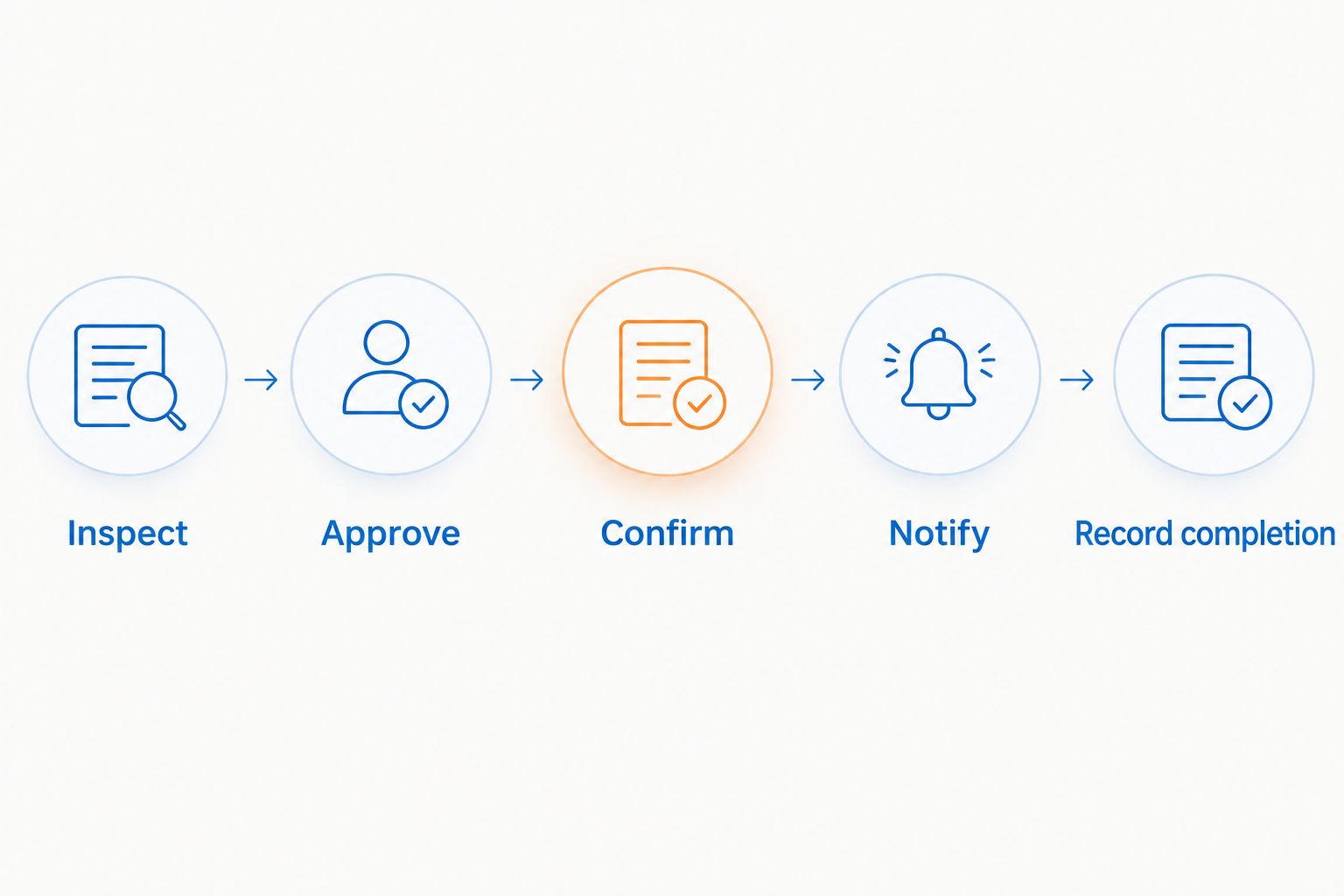
The sequence also protects the service scope. A request to clean a walkway should not quietly expand into roof work, private patios, or other areas without a separate approval and contractor discussion.
Update the schedule when plans change
A second useful workflow handles changes to an already confirmed appointment. Use the existing event as the current record rather than creating another apparently confirmed date and leaving both visible.
- Contact the contractor and agree on the revised appointment before treating the replacement date as confirmed.
- Edit the existing event’s date, time, status, and description. Briefly record the reason for the change without adding sensitive information.
- Save the event and send the calendar update to guests when prompted. Send a revised resident notice separately through the established communication channel.
- Review linked reminders and access arrangements. A moved appointment can leave an earlier preparation task or resident instruction out of step.
Expected result: The calendar contains one current confirmed appointment, and participants receive a clear explanation of what changed.
| Workflow | Best for | Advantage | Limitation |
|---|---|---|---|
| Recurring inspection | Communities reviewing shared-area conditions | Prompts a review without promising contractor attendance | Someone must inspect, obtain approval, and arrange work |
| Confirmed appointment | Approved cleaning with contractor acceptance | Gives participants one agreed work window | Changes still require direct coordination and revised notices |
Use both workflows together. The recurring inspection identifies a maintenance need; the confirmed appointment records the accepted response. Neither replaces the association’s approval process.
Troubleshooting
The contractor never confirmed the invitation
An unanswered invitation is not an accepted appointment. Contact the contractor through the agreed channel, confirm the scope and date, and keep the event marked as awaiting confirmation until that conversation is complete.
Residents received different dates
Check whether an old notice or duplicate event remains in circulation. Keep one current appointment, send a correction that identifies the affected area, and clearly withdraw the superseded instruction.
A recurring series changed unexpectedly
Editing recurring events can affect more than the intended occurrence. Review the scope of the change before saving; keep confirmed cleaning appointments separate from the recurring inspection series to reduce this risk.
The cleaning crew cannot access the area
A calendar location is not an access arrangement. Assign an access contact, confirm entry instructions privately, and check whether vehicles, locked gates, or scheduled activities block the agreed work area.
Reminders appear for only one participant
Guests’ notification settings can differ. Use calendar alerts for personal task prompts and confirm resident communication, approval, and contractor acceptance through the association’s established channels.
Customize your workflow
Add detail only when it helps someone make a decision. A large association can maintain separate event records for distinct shared areas; a smaller property can use one record with clearly separated scope items.
Keep residential and commercial requests distinct. Socalemm provides house washing and roof soft washing as well as pressure washing, but a shared-area maintenance entry should describe only the service and surfaces actually agreed for that appointment.
For your next 2026 review, check incomplete work, access problems, and whether the inspection pattern still matches the property. Do not copy an old cleaning appointment forward merely because it appeared in last year’s calendar.
Discuss your exterior cleaning scope
Review the surfaces and access needs before adding a confirmed cleaning appointment to your HOA calendar.
FAQ
How do I connect an HOA maintenance calendar to a pressure washing schedule?
Use a shared calendar with separate inspection and confirmed cleaning events. Assign one coordinator, record approval, obtain contractor acceptance, and send resident notices only after confirmation.
Does Google Calendar automatically book a pressure washing contractor?
No, a Google Calendar event does not book a pressure washing contractor. Confirm the scope and appointment directly with the provider before marking the event as confirmed.
Should HOA pressure washing repeat every month?
Do not set a monthly cleaning appointment unless the association and contractor have agreed to that schedule. Repeat inspection reminders instead, then schedule cleaning based on the reviewed condition and approved maintenance plan.
Who should control the HOA cleaning calendar?
One designated coordinator should maintain the HOA cleaning calendar. Approval authority remains with the role or process established by the association, even when someone else edits the events.
What should residents receive before shared-area cleaning?
Residents should receive the confirmed work window, affected area, required preparation, and a contact for questions. Keep private access details and internal approval discussions out of broadly distributed notices.
What happens if the pressure washing appointment changes?
Agree on the replacement appointment with the contractor, then update the existing event and issue a revised resident notice. Check reminders and access arrangements so they match the new date.
Can house washing and roof cleaning use the same HOA calendar?
They can use the same administrative calendar when they are association-approved work, but each event needs a clearly defined scope. Keep privately arranged homeowner services separate from shared-area maintenance.
One last thing
Repeat the inspection, not an unconfirmed booking. The most useful recurring event in your 2026 pressure washing plan is a decision point: does this area need cleaning, who approves it, and what must happen before work starts?
A calendar full of cleaning dates looks organized. A calendar that distinguishes proposed, confirmed, and completed work actually supports the person responsible for the property.