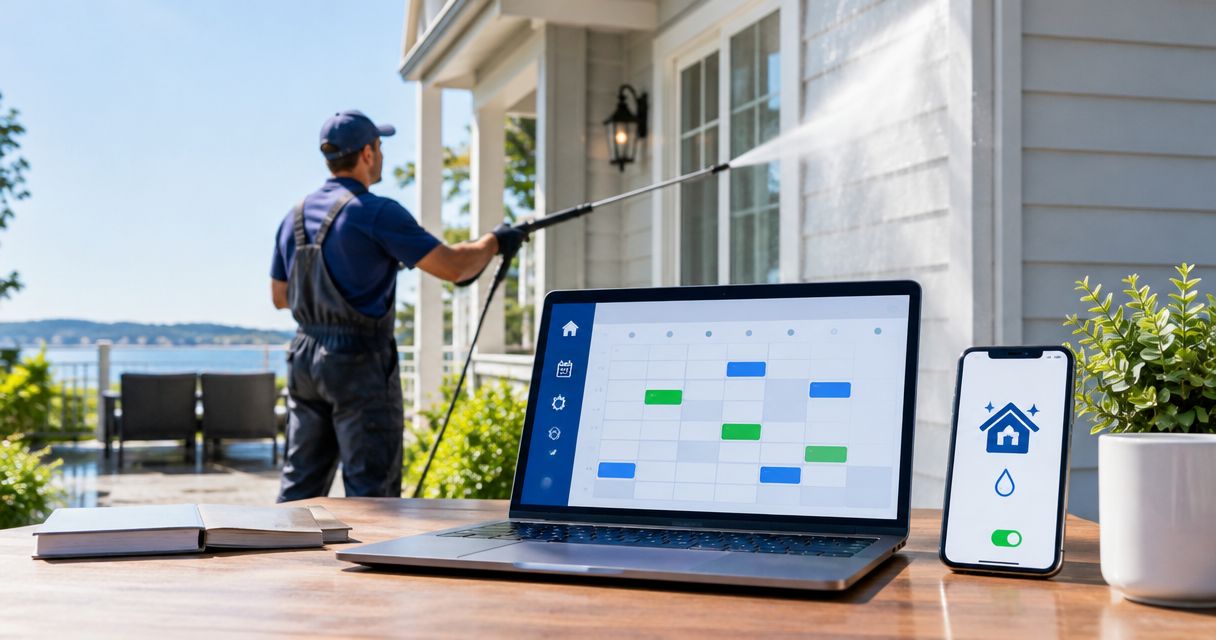
Instead of checking Airbnb and Vrbo reservations every day, use booking-calendar feeds and a scheduled gap check to identify possible house-washing windows. Your airbnb vrbo turnover house washing schedule should automate the alert—not confirm exterior cleaning before checkout times, access and the next arrival are verified.
- An airbnb vrbo turnover house washing schedule should flag booking gaps, not automatically confirm cleaning appointments.
- Socalemm provides house washing in Newport Beach and Orange County; confirm the service window before reserving it.
- Airbnb and Vrbo calendar dates do not replace verified checkout and check-in times.
- Keep exterior-cleaning appointments separate from reservation feeds so booking changes remain visible.
Why this matters
A vacant-looking calendar does not prove that a property is ready for exterior cleaning. Guests can leave late, reservations can change, and your interior turnover crew can need the same entrance or outdoor work area.
Socalemm house washing is a fit for homeowners arranging exterior cleaning in Newport Beach and Orange County. Start with the services described by Socalemm, then coordinate the work around confirmed guest access rather than a calendar's empty space.
For your 2026 workflow, separate three decisions: whether a booking gap exists, whether house washing is needed, and whether the provider has confirmed the appointment. Automation handles the first decision; you retain control of the other two.
Before you start
- Account access: You need permission to export the Airbnb and Vrbo reservation calendars, a Google account with Calendar access, and permission to use Google Apps Script and email notifications.
- Property information: Keep checkout times, check-in times, property access instructions and the exterior areas needing attention together. Use a separate setup for each property so reservations cannot be mixed.
- The calendar gotcha: Reservation feeds can use all-day entries and update asynchronously. Treat their dates as screening information, not verified working hours; a canceled booking or same-day turnover needs a fresh check in the booking platform.
Keep calendar-feed addresses private. They provide access to reservation-calendar information and do not belong in a public document, shared contractor group or published website.
Choose the right scheduling workflow
These approaches perform different jobs. None replaces the house-washing provider's confirmation.
| Workflow | Best for | Advantage | Limitation |
|---|---|---|---|
| Calendar feed review | Homeowners who want one reservation view | Displays Airbnb and Vrbo calendars together | You still inspect gaps yourself |
| Apps Script gap alerts | Hosts who want automatic prompts to review gaps | Sends newly detected gaps by email | Feed delays and date-only entries require verification |
| Confirmed work event | Homeowners with an agreed service appointment | Keeps the approved work window and reminders together | Booking changes still require a conflict check |
Use gap alerts to discover opportunities and a confirmed work event to record the appointment. Do not label an automatically detected gap as a booked service.
The following setup uses Google Calendar and Google Apps Script. It does not require or claim a booking integration with Socalemm.
Reservation calendar setup
Bring both booking calendars into one view
- Open the property's reservation calendar in Airbnb and copy its calendar-export address. Repeat the export process for the same property in Vrbo.
- In Google Calendar on desktop, find Other calendars, select +, and choose From URL.
- Paste the Airbnb export address and select Add calendar. Repeat with the Vrbo export address.
- Give the calendars clear, property-specific names. Keep the two sources separate instead of copying reservations into a single editable calendar.
- Open each subscribed calendar's settings and locate Calendar ID. Save both IDs privately for the script configuration.
- Compare a known reservation in each booking platform with its subscribed calendar entry. Check both the arrival and departure dates.
Expected result: Google Calendar displays both reservation sources, and you can identify which platform supplied each entry.
Subscription is not an instant synchronization guarantee. Before relying on a 2026 vacancy, check the reservation directly in Airbnb and Vrbo, particularly after a cancellation, extension or new booking.
Define your approval rule
Write down what makes a gap usable before adding automation. Include the verified guest departure, the next guest arrival, the provider's agreed work window and any time needed to leave the exterior ready for guests.
Do not assign a universal duration to house washing. The scope, surfaces, access and work conditions determine the appointment requirements. Confirm those requirements with the provider for the property concerned.
For a stucco exterior, use the guide to pressure washing services for stucco homes when preparing your service questions. Surface suitability belongs in the scope discussion, not in a calendar script.
Automatic gap-alert configuration
Add a date-screening script
This example checks the next 30 days as a configurable planning window. That is a setting for this workflow—not a recommended house-washing frequency or a service-duration estimate.
- Create a Google Apps Script project.
- Replace the default editor contents with the code below.
- Put the two subscribed Calendar ID values inside
calendarIds, each enclosed in quotes and separated by a comma. - Enter your own notification email in
recipient. Keep the calendar IDs and email private. - Select
notifyBookingGapsin the function selector and select Run. Review and authorize the requested calendar, email and script-storage permissions.
const CONFIG = {
  calendarIds: [],
  recipient: '',
  lookAheadDays: 30,
  timeZone: 'America/Los_Angeles'
};

function notifyBookingGaps() {
  if (CONFIG.calendarIds.length !== 2 || !CONFIG.recipient) {
    throw new Error('Enter two calendar IDs and your email.');
  }

  const start = new Date();
  const end = new Date(start);
  end.setDate(end.getDate() + CONFIG.lookAheadDays);

  const ranges = CONFIG.calendarIds.flatMap(id => {
    const calendar = CalendarApp.getCalendarById(id);
    if (!calendar) throw new Error('Check calendar access and ID.');
    return calendar.getEvents(start, end).map(event => ({
      start: event.getStartTime().getTime(),
      end: event.getEndTime().getTime()
    }));
  }).sort((a, b) => a.start - b.start);

  const merged = [];
  ranges.forEach(range => {
    const last = merged[merged.length - 1];
    if (last && range.start <= last.end) {
      last.end = Math.max(last.end, range.end);
    } else {
      merged.push({...range});
    }
  });

  const store = PropertiesService.getScriptProperties();
  const fresh = [];
  const keys = [];
  const label = value => Utilities.formatDate(
    new Date(value), CONFIG.timeZone, 'yyyy-MM-dd'
  );

  for (let i = 1; i < merged.length; i++) {
    const left = merged[i - 1].end;
    const right = merged[i].start;
    if (right <= left || left < start.getTime()) continue;
    const key = `gap:${left}:${right}`;
    if (store.getProperty(key)) continue;
    fresh.push(`${label(left)} to ${label(right)}`);
    keys.push(key);
  }

  if (!fresh.length) return;
  GmailApp.sendEmail(
    CONFIG.recipient,
    'Review possible exterior-cleaning windows',
    'Date-screening only; no appointment is booked.\n\n' +
    fresh.join('\n') +
    '\n\nVerify both platforms, guest times and provider confirmation.'
  );
  keys.forEach(key => store.setProperty(key, 'sent'));
}
The script combines overlapping reservation entries before looking for gaps. It emails dates without including guest names or reservation titles, and records each reported interval to avoid sending the same unchanged gap repeatedly.
Expected result: A run sends an email when it finds a previously unreported interval between booking entries. No email is expected when no qualifying gap exists.
This script deliberately excludes vacancy before the first booking and after the final booking in its search window. It also does not resolve same-day working hours from date-only entries. Review those situations manually.
Schedule the check
- Open Triggers in the Apps Script project.
- Select Add Trigger.
- Under Choose which function to run, select
notifyBookingGaps. - Under Select event source, select Time-driven.
- Under Select type of time based trigger, select Day timer, then choose the time window and select Save.
- Check Executions after the scheduled run to confirm that it completed without an error.
Expected result: The script performs 1 scheduled check per day using the reservation entries currently visible to Google Calendar.
This 2026 setup is a daily planning prompt, not live booking protection. Increasing the check frequency does not force Airbnb or Vrbo subscription feeds to refresh sooner.
Appointment approval and reminders
Turn an alert into a confirmed work event
- Open both booking platforms and verify the gap against current reservations. Confirm actual checkout and check-in times, not just the dates in the email.
- Decide whether house washing is needed. Do not schedule a full exterior wash automatically after every stay.
- Request a quote from Socalemm and describe the residential house-washing scope, access restrictions and proposed vacancy window. Keep roof cleaning or other exterior work separately identified.
- Confirm the appointment with the provider. Resolve conflicts with your interior cleaners, landscaper or other property workers before recording it as approved.
- In Google Calendar, select Create, then Event. Enter the agreed start and end times, a clear property identifier and the work scope.
- Select Add notification for your chosen reminder, then Save. Keep this event on your editable work calendar, not on a subscribed reservation feed.
Expected result: You have a confirmed appointment with reminders, while both reservation feeds remain visible for conflict checks.
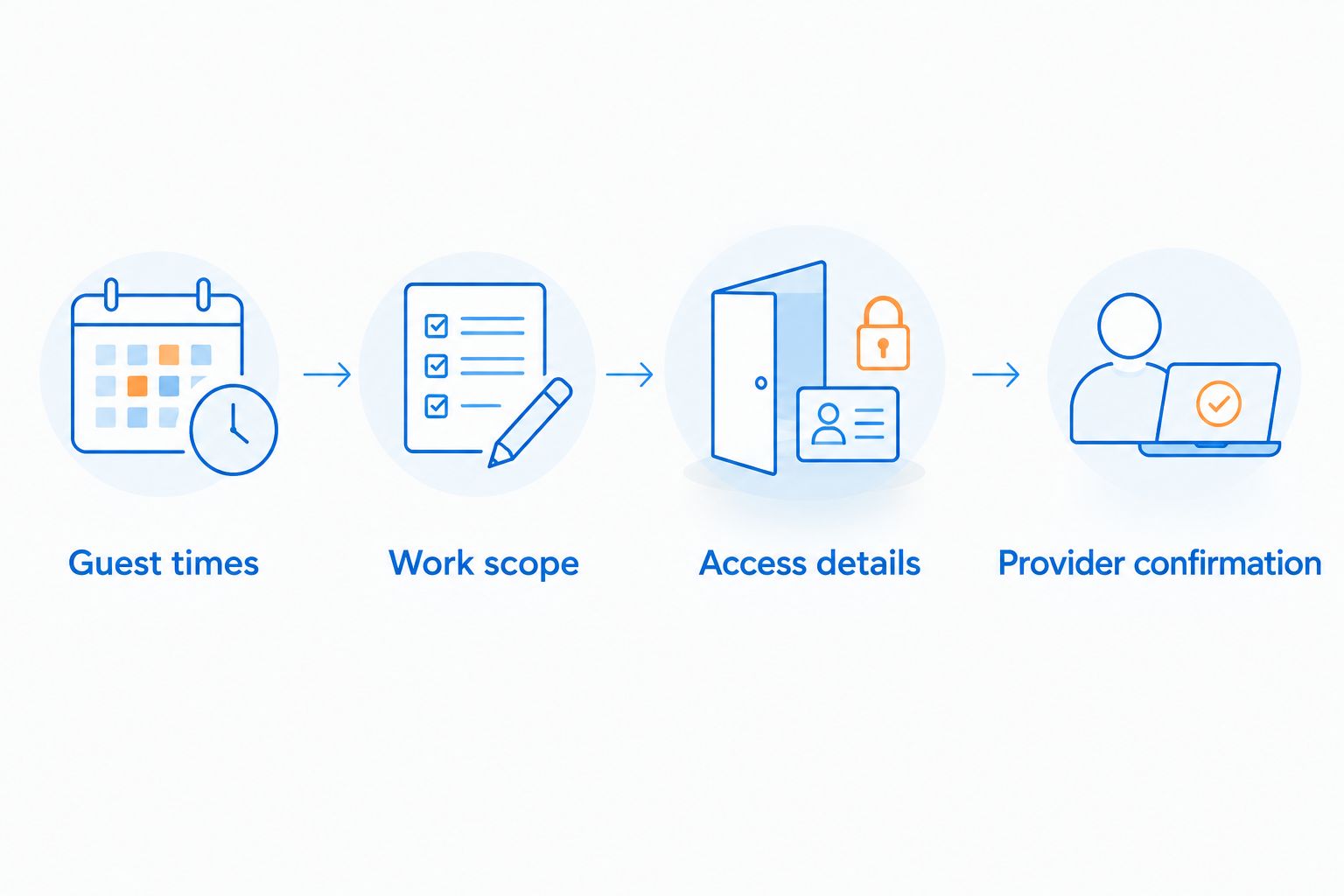
For your 2026 appointment notes, use these four labels: Guest times, Work scope, Access details and Provider confirmation. Record only the information people doing the work need; keep guest contact details out of service notes.
Keep the service request specific. State whether you need house washing or a different exterior-cleaning task, and identify anything that limits access to the walls, entrance or outdoor areas.
Request a house-washing quote
Describe your property, exterior-cleaning scope and proposed window between guest stays.
Recheck whenever a reservation changes
A changed reservation requires a different workflow from finding an initial gap. The example script reports newly detected intervals; it does not cancel or move an existing service appointment.
When Airbnb or Vrbo reports a reservation change, open the affected booking and compare it with your confirmed work event. If the guest stay overlaps the appointment, contact the provider and resolve the conflict before changing the calendar event.
Keep provider confirmation as the final approval gate. Deleting a calendar event does not notify the provider unless you have separately arranged that communication.
Best for changed bookings: A direct reservation check followed by provider communication. Its advantage is clear appointment control; its limitation is that you must act on the booking notification.
Troubleshooting
The script cannot read a calendar
Confirm that the Google account running the script can see the subscription. Use Calendar ID, not the Airbnb or Vrbo export address, in calendarIds; then run the function again and review Executions.
A reservation changed but the alert still shows a gap
Check the source platform directly. Subscribed calendars update asynchronously, and an earlier email remains in your inbox after its underlying dates change. Treat the email as a review request, not current booking evidence.
No email arrives despite an empty calendar
Check Executions for errors and confirm the recipient address. The script only reports gaps between booking entries; an entirely empty calendar or vacancy outside the first and last entries produces no alert.
The displayed dates do not provide usable working hours
Verify checkout and arrival times in the booking platforms. All-day feed boundaries are not a contractor access window, and a date gap alone does not establish enough time for the requested work.
A confirmed appointment now overlaps a booking
Resolve the appointment directly with the provider. The gap-alert script does not monitor approved work events or automatically withdraw earlier notifications.
Customize your workflow
Keep residential and commercial schedules separate. A guest property's house-washing request needs guest-access coordination; a commercial exterior-cleaning request needs its own site-use and access discussion.
Add other exterior tasks only when the property needs them. Driveway cleaning and roof soft washing require their own scope decisions rather than being silently added to a house-washing appointment.
For your 2026 maintenance calendar, retain a short record of completed work and unresolved exterior concerns. Use that record to decide what to request next; reservation volume alone does not determine cleaning frequency.
FAQ
Can I automatically book house washing between Airbnb and Vrbo stays?
This workflow automatically identifies possible booking gaps, not confirmed house-washing appointments. Verify guest times, the cleaning scope and provider confirmation before creating the work event.
What is the best airbnb vrbo turnover house washing schedule?
The best schedule uses verified guest departure and arrival times around a provider-confirmed work window. Calendar-feed alerts help find opportunities but do not establish safe access or the required service duration.
Do Airbnb and Vrbo calendar feeds show exact checkout times?
Do not rely on calendar feeds to establish exact checkout times. Verify the reservation details in each booking platform before arranging exterior cleaning.
Should I schedule house washing after every guest stay?
Do not automatically schedule full house washing after every stay. Inspect the exterior and agree on the required work based on the property's condition and surfaces.
Does Socalemm receive the script's alerts or automatically accept appointments?
No, the example script sends alerts only to the email address you configure. Arrange house washing with Socalemm separately and obtain appointment confirmation.
What happens if a guest extends a stay after I schedule cleaning?
Recheck the confirmed cleaning appointment against the changed reservation and contact the provider if they conflict. The example script does not cancel or reschedule service.
Can I use this workflow for several rental properties?
Yes, use a separate configuration for each property and its corresponding reservation feeds. Mixing properties in one gap calculation produces intervals that do not represent an individual property's vacancy.
One last thing
An empty calendar is not a service confirmation. The most useful final check is whether the guest has actually left and the provider still has the agreed access—not whether yesterday's automated email showed a gap.